Why Multi-Cloud Service Mesh Causes Latency
Multi-cloud service mesh setup without breaking latency is something I’ve had to debug across three separate production environments—AWS, GCP, and Azure running Istio 1.15+. The latency spike you’re seeing right now? It’s not magic. It’s almost always one of four things stacking on top of each other.
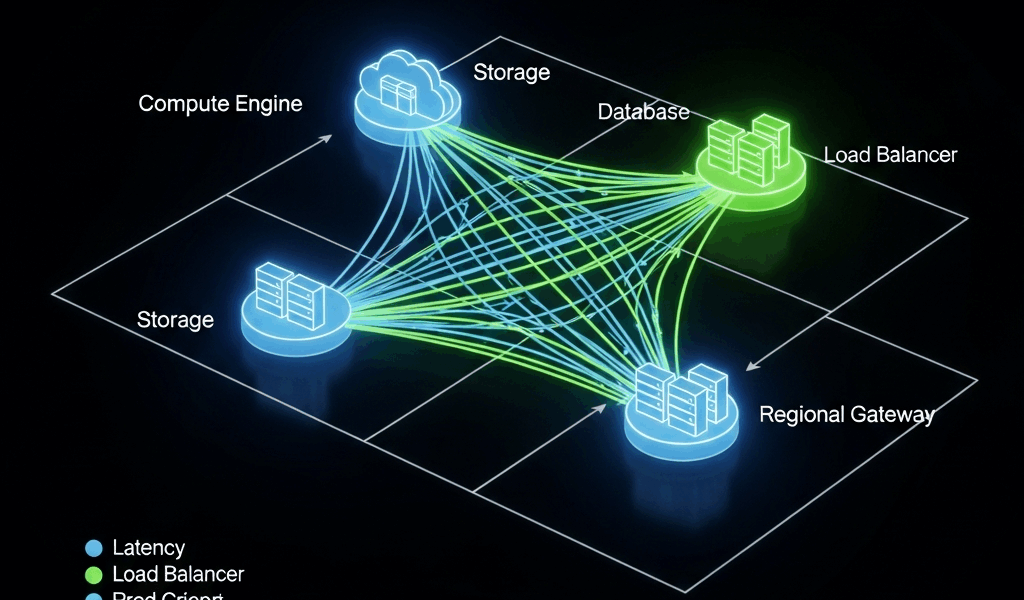
Cross-cloud traffic introduces inherent overhead. Your request leaves Pod A in us-east-1 (AWS), crosses the public internet through a cluster mesh gateway, lands in a GCP VPC, and gets load-balanced across Service B. Every hop adds milliseconds. But that’s not the real killer.
The actual problem lives in unoptimized proxy configuration. Envoy sidecars come with sensible defaults that assume single-region, single-cloud deployments. When you stretch them across cloud providers, those defaults fail silently. Connection pools max out. Circuit breakers trigger incorrectly. Health checks run too often.
DNS resolution delays compound the issue. CoreDNS queries for cross-cloud service entries sometimes take 500ms+ if your external-dns integration is misconfigured or your service discovery isn’t aware of all clusters. I’ve watched teams spend weeks chasing application code when the problem was a service entry with wrong scope settings.
Then there’s inter-cluster communication overhead—probably should have opened with this section, honestly. Your mesh control plane (Istiod) syncs configuration across all clusters. Got 50+ namespaces and 200+ virtual services defined? That sync lag alone can cause observability delays that look like application latency. Throw in certificate rotation across cloud boundaries and you’ve got a perfect storm.
Check and Fix Envoy Proxy Configuration First
Start with sidecar injection settings. I burned a week on this once. Different proxy versions across clusters (1.14 in AWS, 1.16 in GCP) because I wasn’t pinning them properly. Resource constraints were wildly different too.
Open your Envoy config and hunt for these specific fields:
- Connection pool settings — TCP and HTTP are both limited by default
- Timeout values — Your 30-second default won’t work across clouds
- Retry policies — These can cascade into exponential retries
- Buffer sizes — 1MB default buffer will cause request queuing
Here’s what actually works for cross-cloud traffic:
apiVersion: networking.istio.io/v1beta1
kind: DestinationRule
metadata:
  name: cross-cloud-service
spec:
  host: service-b.production.svc.cluster.local
  trafficPolicy:
    connectionPool:
      tcp:
        maxConnections: 1000
      http:
        http1MaxPendingRequests: 2000
        http2MaxRequests: 5000
        maxRequestsPerConnection: 100
    outlierDetection:
      consecutive5xxErrors: 5
      interval: 30s
      baseEjectionTime: 30s
      minRequestVolume: 50
    loadBalancer:
      simple: ROUND_ROBIN
  subsets:
  - name: aws-region
    labels:
      cloud: aws
    trafficPolicy:
      connectionPool:
        tcp:
          maxConnections: 500
The key part: cloud-specific subsets. AWS pods don’t need the same connection limits as GCP ones. Tune per-cloud, not per-mesh.
Now check your VirtualService timeout settings. Critical piece, this. The default 15s timeout gets weird across cloud boundaries:
apiVersion: networking.istio.io/v1beta1
kind: VirtualService
metadata:
  name: cross-cloud-vs
spec:
  hosts:
  - service-b
  http:
  - match:
    - uri:
        prefix: "/api"
    timeout: 45s
    retries:
      attempts: 3
      perTryTimeout: 10s
    route:
    - destination:
        host: service-b.production.svc.cluster.local
        port:
          number: 8080
      weight: 100
See how perTryTimeout is shorter than total timeout? That prevents retry storms. I’ve seen teams set retries=5 with a 30s timeout and accidentally create 150s of latency because each retry waited the full window.
One more critical fix: sidecar resource limits. Envoy proxy can’t handle 10,000 concurrent connections with 256MB RAM. Check your Istio sidecar injection defaults:
kubectl get cm istio-sidecar-injector -n istio-system -o yaml | grep -A 20 "resources:"
For multi-cloud, bump these minimums. I run with 512MB memory and 500m CPU reservation, not the default 100m/128MB.
Optimize Network Policies and Cross-Cloud Routing
Your service mesh is only as efficient as your network layer underneath it. Cross-cloud routing can add 50-200ms just by taking inefficient paths.
First, verify your load balancing algorithm actually works. Run this against your target service:
kubectl exec -it
You should see ROUND_ROBIN or LEAST_CONN. If you see ORIGINAL_DST, your traffic is bouncing around inefficiently.
For services that must run in specific clouds—like AWS RDS accessed from AWS pods—use affinity rules. Prevents cross-cloud traffic for local dependencies:
apiVersion: networking.istio.io/v1beta1
kind: DestinationRule
metadata:
  name: local-affinity
spec:
  host: database-service
  trafficPolicy:
    loadBalancer:
      consistentHash:
        httpCookie:
          name: "affinity"
          ttl: 3600s
    connectionPool:
      tcp:
        maxConnections: 200
This forces requests from the same client to hit the same backend instance, reducing hops.
Check your network policies too. Sometimes Kubernetes NetworkPolicy rules are silently blocking cross-cloud traffic or causing packet inspection delays. Run:
kubectl get networkpolicies -A | grep -v ingress
Multi-cloud deployments usually need explicit policies allowing cluster-to-cluster communication. Default-deny isn’t your friend here.
Profile and Monitor Mesh Performance Across Clouds
Can’t fix what you don’t measure. Kiali is your first stop. Open the graph view, filter by namespace, and look for services showing red or orange edges between clusters. That’s latency visualization.
But Kiali’s data comes from Prometheus scrapes. Your scrape interval matters enormously. Scraping every 60 seconds instead of 15 seconds means you’re missing spikes. Update your Prometheus config:
scrape_configs:
- job_name: 'istio-mesh'
  interval: 15s
  timeout: 10s
  static_configs:
  - targets: ['localhost:9090']
Set up distributed tracing to pinpoint exactly where requests slow down. Jaeger or Zipkin will show you the breakdown: 50ms in Envoy proxy, 200ms crossing the network, 30ms in application code. That’s diagnostic gold.
For Istio, enable trace sampling in your Telemetry resource:
apiVersion: telemetry.istio.io/v1alpha1
kind: Telemetry
metadata:
  name: cross-cloud-tracing
spec:
  tracing:
  - providers:
    - name: jaeger
    randomSamplingPercentage: 10
10% sampling is enough for multi-cloud debugging without overwhelming your trace backend.
Common Multi-Cloud Mesh Misconfigurations and Fixes
- ServiceEntry scope set to MESH_EXTERNAL instead of CLUSTER_LOCAL — Service discovery queries DNS on every request. Fix: Change
location: MESH_EXTERNALtolocation: MESH_INTERNALfor internal services. - MTU mismatch between clouds — AWS defaults to 1500, some GCP networks use 1460. Large packets fragment. Fix: Set explicit MTU in your CNI configuration, typically
mtu: 1440in Calico or Flannel. - Certificate validation loops across domains — Istio CA generates certificates that require DNS resolution from all clusters. Fix: Configure
dns: {}in your PeerAuthentication with proper mesh CA delegation. - istio-system namespace resource starvation — Istiod runs out of memory syncing 500+ resources across clouds. Fix: Bump Istiod requests to 1Gi memory and 500m CPU, split into multiple replicas with pod anti-affinity.
- Cross-cloud egress gateway not preferred for outbound traffic — Traffic takes random paths. Fix: Set
exportTo: ["*"]in your VirtualService and useselector: {istio: egressgateway}. - Health check frequency too aggressive across WAN links — Every pod checking every other pod every 10 seconds equals traffic explosion. Fix: Increase
intervalto 30s andtimeoutto 5s in outlierDetection.
These aren’t theoretical issues. I’ve hit every single one in production.
Real wins with multi-cloud service mesh latency come from treating each cloud’s characteristics separately—not forcing them into a one-size-fits-all proxy configuration. AWS pods have different network characteristics than Azure ones. GCP setup has different cert validation timing. Acknowledge that, measure it, and tune accordingly. That’s when latency actually drops.




Stay in the loop
Get the latest multicloud hosting updates delivered to your inbox.