Why Load Balancing Gets Complicated in Multi-Cloud
Multi-cloud load balancing has gotten complicated with all the “just use a global LB” advice flying around. As someone who watched a team spend three weeks perfecting an AWS ALB setup — declaring victory, ordering the metaphorical pizza — I learned everything there is to know about how fast that confidence evaporates when GCP workloads enter the picture. Today, I will share it all with you. The failure that kicked this off wasn’t some dramatic cascade. It was a 90-second gap nobody saw coming.
But what is the core problem here? In essence, it’s this: every cloud provider runs its own health check mechanism, its own failure threshold logic, its own definition of “available.” But it’s much more than a terminology conflict. When you route traffic across providers, those definitions collide in production. AWS marks an endpoint healthy. GCP’s probe has already flagged it degraded. For that window — sometimes 30 seconds, sometimes longer — you’re sending live traffic into something functionally dead. That’s latency asymmetry. Not theoretical. It shows up at the worst possible time.
Regional setups make this worse. A load balancer scoped to us-east-1 has zero awareness of what’s happening in europe-west1. No shared control plane. Failover decisions get made in isolation, and the timing gaps between those isolated decisions? That’s where downtime actually lives.
Global Load Balancers vs Regional — What the Difference Actually Means
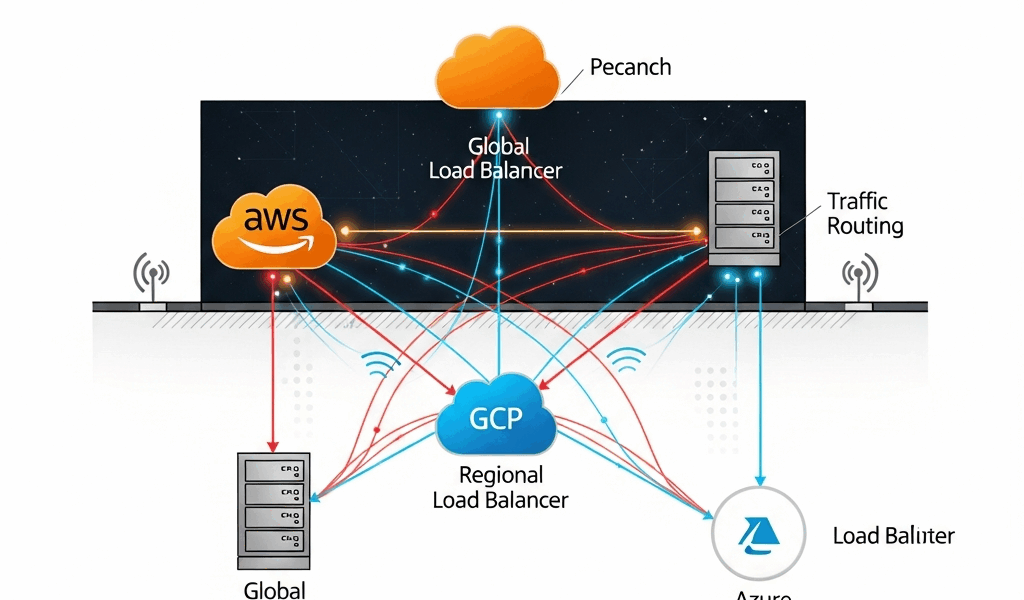
The architectural split matters more in multi-cloud than anywhere else. Global load balancers — AWS Global Accelerator, GCP Cloud Load Balancing at the global tier, Azure Front Door — operate on anycast networks or centralized traffic management planes. They make routing decisions with awareness of multiple regions simultaneously. Regional load balancers, like an AWS ALB or a GCP regional Network Load Balancer, only see traffic and health within their own region. That’s a meaningful constraint once you’re spanning providers.
AWS Global Accelerator
Global Accelerator routes traffic over Amazon’s backbone using anycast IP addresses. When a region goes dark, Accelerator detects it through its own health checks — independent of Route 53 — and reroutes in under 30 seconds in most documented cases. Here’s the catch in a multi-cloud context: Accelerator’s endpoints have to live in AWS infrastructure. You can’t point it at a GCP backend directly. So in a true multi-cloud setup, it becomes one layer of a larger routing stack. Not the whole answer. I’m apparently wired to keep hoping it will be, and it never is.
GCP Cloud Load Balancing
GCP’s global external Application Load Balancer is genuinely global — single anycast IP, traffic routed to the nearest healthy backend across regions. Failover happens at the Google network layer, not at DNS. Sub-60-second failover is realistic. The problem mirrors AWS: it’s designed to route to GCP backends. Sending traffic to Azure from GCP’s global LB requires workarounds — usually a hybrid connectivity setup or a third-party layer like Cloudflare. That’s what makes the “just go global” advice frustrating to those of us who’ve tried to implement it literally.
Azure Front Door
Front Door operates as a global HTTP/HTTPS load balancer with built-in WAF, CDN, and origin health probing. It can route to backends outside Azure — AWS endpoints, on-prem, anything with a public IP — which makes it genuinely useful as a multi-cloud traffic manager. Health probes run from multiple Front Door PoPs globally. Failover typically lands between 20 and 90 seconds depending on probe frequency settings. That range matters. At the slow end, 90 seconds of bad traffic is not a rounding error — especially if you’ve ever had to explain it to a payments team at 2am.
DNS-Based vs Anycast Load Balancing Across Clouds
Probably should have opened with this section, honestly. It’s the root cause behind most multi-cloud downtime incidents I’ve seen discussed in post-mortems.
DNS-based load balancing — Route 53 weighted or failover policies, Azure Traffic Manager, GCP Cloud DNS with health checks — works by returning different IP addresses based on health and routing rules. Endpoint fails, DNS record updates, traffic shifts. Sounds clean. In production, it’s messier than anyone admits in the architecture review.
TTL is the problem. Set a TTL of 60 seconds and you still don’t control client-side DNS caching. Mobile carriers, corporate resolvers, certain ISPs — they ignore TTLs. A record set to expire in 60 seconds can stay cached for 5 minutes in the real world. During that window, clients resolve to a dead IP. You’re not failing over. You’re serving errors to everyone whose resolver decided your TTL was merely a suggestion. Don’t make my mistake of assuming TTL compliance in your failover math.
Route 53 failover routing evaluates health checks every 10 to 30 seconds depending on configuration. Standard health check interval of 30 seconds, threshold of 3 failures before marking unhealthy, 60-second TTL — worst-case propagation window lands around 150 seconds before traffic meaningfully shifts. Two and a half minutes of downtime math before DNS even finishes propagating. That was a hard number to put in an incident report.
Anycast sidesteps this entirely. The IP doesn’t change. Traffic reroutes at the network layer without touching DNS. AWS Global Accelerator and GCP’s global LB both work this way. Azure Front Door is technically an anycast implementation as well, though its failover still involves origin health probe logic that introduces delay. The practical difference: anycast failover is measured in seconds, not TTL multiples.
The multi-cloud complication is that you can’t run a pure anycast setup across providers without a third-party layer. Something like Cloudflare Load Balancing — $5/month per origin at the basic tier, scaling up with traffic volume — or NS1 Managed DNS. These add cost and another dependency, but they’re often the only realistic path to anycast-like behavior spanning AWS and GCP simultaneously. Cloudflare might be the best option, as multi-cloud routing requires a neutral control plane. That is because neither AWS nor GCP will natively hand traffic to the other without some persuasion.
Scenarios Where Each Approach Breaks Down
The DNS TTL Lag
A payments platform running Route 53 failover between AWS us-east-1 and a GCP backup region set their TTL to 30 seconds. An EC2 fleet in us-east-1 went unhealthy after a misconfigured security group push. Route 53 caught the failure after three health check intervals — roughly 90 seconds. TTL propagation took another 45 seconds for most clients. Corporate clients behind a Cisco Umbrella resolver didn’t update for nearly four minutes. Checkout failures during that window were real, counted, and ended up in the SLA report. The engineering team had set what looked like a sensible TTL. The resolver had other plans.
Health Check Threshold Mismatch
A team running Azure Front Door in front of both Azure App Service backends and AWS ALB endpoints set Front Door’s health probe interval to 30 seconds with a threshold of 2 failures. The AWS ALB had its own internal health checks at 5-second intervals, threshold of 5 failures. During a partial network degradation event, Front Door marked the AWS origin unhealthy after 60 seconds and pulled traffic. The ALB considered its targets still healthy. Traffic shifted entirely to Azure — which had insufficient capacity for full load — creating a secondary failure worse than the original degradation. Two health check systems, zero coordination. That’s what makes threshold mismatch so dangerous for teams that inherit multi-cloud setups they didn’t design.
Cold Failover in a Regional Setup
Frustrated by a cost optimization push, an engineering team replaced Global Accelerator — $0.025 per GB processed, roughly $180/month for a mid-traffic app — with a regional ALB in each cloud stitched together by Route 53 latency routing. When ap-southeast-1 went dark, Route 53 correctly updated its records. Clients with fresh DNS caches failed over in about 75 seconds. Clients on mobile networks, particularly in Southeast Asia, stayed on dead endpoints for over three minutes because of aggressive carrier-side caching. The team had tested failover from corporate laptops. They hadn’t tested it from the devices their actual users carried. This new shortcut had taken hold several years into their cloud journey and eventually evolved into the fragile setup operations teams know and dread today.
How to Pick the Right Setup for Your Traffic Pattern
The choice breaks down cleanly across three situations. So, without further ado, let’s dive in.
- Latency-sensitive apps — real-time, payments, gaming: Use anycast wherever possible. Azure Front Door as the global layer with AWS Global Accelerator scoped to AWS-specific traffic is a pattern that actually works in production. Accept the cost — Global Accelerator runs around $0.025 per GB plus $18/month per accelerator, Front Door Standard tier starts at $35/month. This is not the place to save money by defaulting to DNS failover. While you won’t need to run every tier of every provider’s global product, you will need a handful of these tools working in concert.
- Cost-sensitive apps — internal tools, batch APIs, dev environments: Route 53 failover with carefully managed TTLs — 30 seconds max — and tight health check intervals of 10 seconds at a threshold of 2 is defensible. First, you should document the failover window explicitly — at least if you want your on-call team to understand what they’re watching. You’ll accept a 60–120 second failover window. Set alerts at the 45-second mark so humans know a failover is in progress before clients notice.
- Compliance-constrained workloads — data residency, financial regulation: Third-party global load balancers like Cloudflare may be off the table depending on your compliance posture, since traffic traverses their network. Stick to native provider tools. Azure Front Door supports private link origins for traffic that needs to stay off the public internet. GCP’s Cloud Load Balancing with hybrid connectivity handles on-prem and multi-cloud with better compliance controls than most engineers expect — honestly, better than I expected the first time I dug into it.
The honest summary: no single load balancer solves multi-cloud gracefully. The providers built these tools to keep traffic inside their ecosystems — that’s what makes the “just pick one global LB” advice so endearing to vendors and so frustrating to engineers. Working across AWS, GCP, and Azure simultaneously means either accepting a third-party dependency or accepting that failover will be slower than the diagrams suggest. Pick the tradeoff that matches your actual downtime tolerance. Not the one that looks best in the architecture review.




Stay in the loop
Get the latest multicloud hosting updates delivered to your inbox.